


Are you ready to share your passion with the world but unsure where to start with live streaming equipment? If you've ever felt that your streams could look and sound more professional, you're in the right place.
This comprehensive guide breaks down everything you need to create engaging live streams, whether you're a beginner or looking to upgrade your existing setup. We'll cover essential equipment, costs, and recommendations tailored to different levels of streamers, ensuring you can make informed decisions and achieve your streaming goals.
Essential Equipment for Live Streaming
Most of the people live stream on a mobile phone, so your smartphone is the core, but a few key accessories can elevate your content from amateur to amazing.
1. Your Smartphone: The Heart of Your Setup
This might seem obvious, but not all smartphones are created equal for streaming.
- Camera Quality:Newer flagship phones (from Apple, Samsung, Google, etc.) generally have excellent cameras with good sensors, image stabilization, and low-light performance. Consider resolution (1080p is good, 4K is great for future-proofing or cropping), frame rate capabilities (30fps is standard, 60fps for smoother action), and manual controls if your app supports them.
- Processing Power & RAM:Streaming is demanding. A phone with a powerful processor and ample RAM (at least 6GB, preferably 8GB+) will handle encoding and running apps smoothly without overheating or lagging.
- Battery Life:Live streaming drains batteries fast. Look for a phone with good battery endurance, but a power bank will be essential regardless.
- Storage:While you're streaming live, if you also plan to record a local high-quality copy, ensure you have sufficient storage space.
Budget Levels
- Entry-Level:Your current smartphone. If it's a mid-range device from the last 2-3 years, it's likely capable enough to start.
- Mid-Level:A recent-generation flagship or upper-mid-range phone ($500-$900). Offers a significant jump in camera and processing power.
- Pro-Level:The latest flagship smartphone ($900+). Provides the best camera technology, processing power, and often specialized video features.
2. Microphone: Crystal Clear Audio on the Go
Bad audio is a stream killer. Your phone's built-in microphone is okay for calls, but for streaming, an external microphone is non-negotiable for clarity and reducing background noise.
(1) Lavalier Microphones (Lapel Mics)
Wired: Clip onto your clothing, providing clear audio by being close to your mouth. Affordable and effective. Ensure it has the correct connector for your phone (TRRS for headphone jacks, or USB-C/Lightning adapters).
- Budget Example: Boya BY-M1 (around $20)
- Mid-Range Example: Rode SmartLav+ (around $70, often needs an adapter)
- Wireless: Offer freedom of movement. Consist of a transmitter (with mic) and a receiver that plugs into your phone.
- Budget Example: Generic 2.4GHz wireless lav systems (around $30-$60) – quality can vary.
- Mid-Range Example: Rode Wireless GO II (single transmitter kit around $200) or DJI Mic (single transmitter kit around $250) – excellent quality and features.
(2) Shotgun Microphones (Mini Shotguns for Phones)
Mount onto your phone (often via a cage or clamp) and capture sound directionally, reducing side noise. Good for vlogging or when you can't wear a lavalier.
- Example: Rode VideoMic Me-L (Lightning), Me-C (USB-C), or VideoMicro (needs TRRS adapter) (around $60-$80).
- Example: Shure MV88+ Video Kit (around $200-$250) – versatile, includes a mini tripod.
(3) USB-C / Lightning Microphones
Some microphones are designed to plug directly into your phone's charging port, offering high-quality digital audio.
Example: Shure MV5, Rode NT-USB Mini (with appropriate phone adapter/cable).
Cost Implications:
- Beginner:$20 - $70 (wired lavalier, basic phone shotgun)
- Intermediate:$70 - $250 (good quality wireless lavalier, brand-name phone shotgun like Shure MV88+)
- Professional Mobile:$200 - $400+ (pro-grade wireless systems like Rode Wireless Pro or DJI Mic 2-person kit)
3. Lighting: Look Your Best, Anywhere
Good lighting separates amateur from professional-looking video. Natural light is your best friend, but it's not always available or consistent.
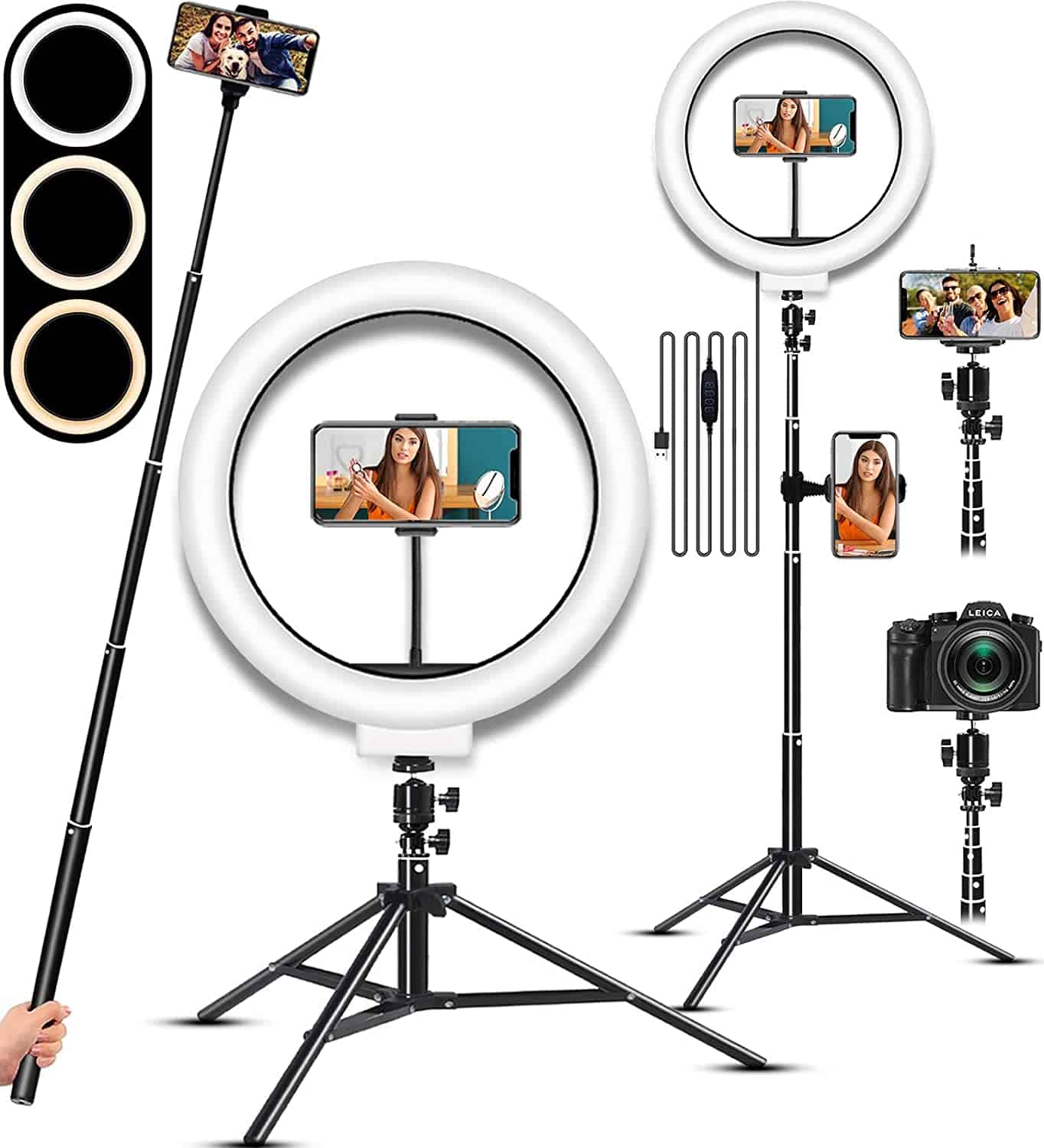
(1) Portable LED Panels
Small, battery-powered LED lights that can be handheld, mounted on a small tripod, or even attached to your phone rig. Many offer adjustable brightness and color temperature.
- Budget Example: Ulanzi VL49, Neewer CN-160 (around $20-$40)
- Mid-Range/Pro Example: Aputure MC, Lume Cube Panel Mini/Go (around $60-$150) – often offer RGB capabilities and app control.
(2) Clip-on Ring Lights for Phones
Small ring lights that clip directly onto your phone, providing soft, even lighting for your face. Ideal for selfie-style streaming.
Budget Example: Generic selfie ring lights (around $10-$25)
(3)Utilizing Natural Light
Always try to face a window (indirect sunlight is best) if indoors. Outdoors, be mindful of harsh shadows or direct sun.
Cost Implications:
- Beginner:$10 - $40 (basic clip-on ring light, small budget LED panel)
- Intermediate/Professional Mobile:$50 - $150+ per light (quality portable LED panels with good color accuracy and features)
4. Stabilization: Smooth, Watchable Footage
Shaky footage is disorienting and unprofessional. Your phone might have built-in stabilization (OIS/EIS), but dedicated stabilizers make a huge difference, especially when moving.
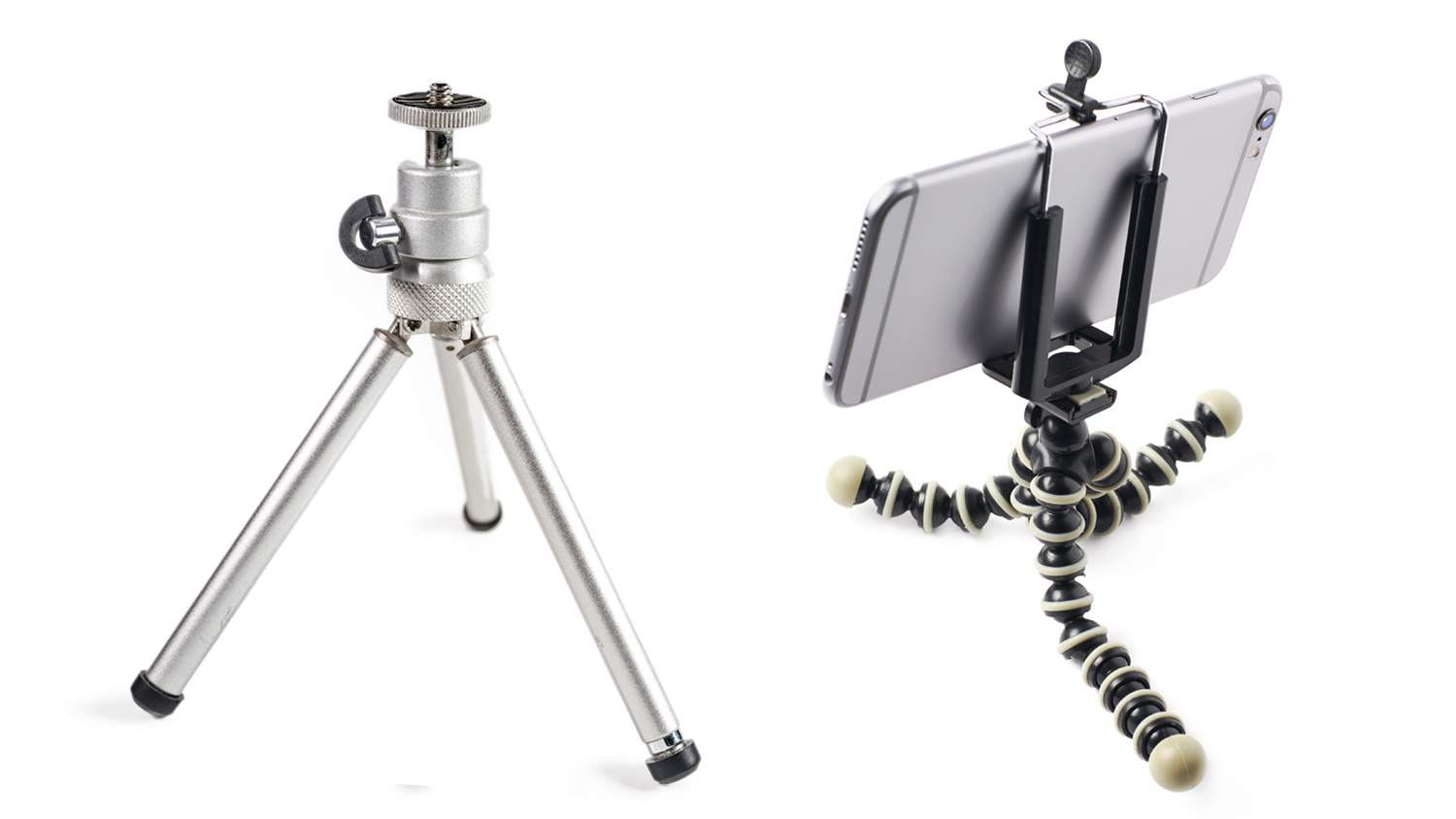
Mini Tripods / Gorillapods: Essential for static shots or placing your phone on a surface. Flexible Gorillapods can wrap around objects.
Budget Example: Generic mini tripods, Joby GorillaPod Mobile Mini (around $15-$40)
Phone Gimbals: Motorized stabilizers that provide incredibly smooth, cinematic footage even while walking or moving.
Budget/Mid-Range Example: DJI OM (Osmo Mobile) series (e.g., OM 5, SE, 6), Zhiyun Smooth series (e.g., Smooth 5, Q4) (around $100-$200)
Phone Cages / Rigs with Handles: Provide multiple mounting points for microphones, lights, and other accessories, plus better grip for handheld stability.
Example: Ulanzi, SmallRig phone cages/handles (around $30-$100+ depending on complexity)
Cost Implications:
- Beginner:$15 - $40 (mini tripod or basic phone holder)
- Intermediate:$80 - $150 (good quality phone gimbal or a versatile phone cage with handles)
- Professional Mobile:$150 - $250+ (latest gimbals with advanced features, comprehensive cage rigs)
5. Power: Keep the Stream Alive
Live streaming consumes a lot of battery.
(1) Power Banks (Portable Chargers): Absolutely essential. Choose one with a high capacity (e.g., 10,000mAh to 20,000mAh+) and appropriate output ports/wattage for your phone.
Cost: $20 - $60+ depending on capacity and features (like PD fast charging).
(2) Long Charging Cables: If you're streaming near a power outlet, a long cable (6-10ft) can be very useful.
6. Internet Connection: The Unseen Essential
Your stream quality is heavily dependent on your internet upload speed.
- Wi-Fi:Preferable if stable and fast (at least 5-10 Mbps upload for 1080p).
- Mobile Data (4G/5G):Can be excellent, especially 5G, but ensure your data plan can handle it and you're in an area with strong, consistent coverage. Monitor data usage to avoid overage charges.
- Advanced:For critical streams, some streamers use mobile bonding services/apps (like Speedify) that can combine Wi-Fi and cellular data for a more robust connection, or dedicated mobile hotspots.
Mobile Live Streaming Setup Costs: What to Expect
Here’s a look at potential costs, assuming you already own a smartphone. If not, factor in the phone's cost separately.
Level 1: The Barebones Beginner (Primarily using phone's capabilities)
Focus: Getting started, learning the rope, casual streaming.
Smartphone: Your existing device.
Audio: Phone's built-in microphone (or very basic wired earbuds with mic).
Lighting: Natural light, existing room lights.
Stabilization: Handheld, or propping phone against an object.
Power: Relying on phone battery, staying near a charger.
Software: Native social media apps.
Estimated Additional Cost: $0 - $30 (perhaps for a very cheap phone holder or lav mic if pushing it)
Level 2: The Aspiring Streamer (Budget-Conscious Quality Boost)
Focus: Improving audio and visual quality noticeably without breaking the bank.
Smartphone: Your existing device or a decent mid-ranger.
Audio: Wired lavalier microphone or basic phone shotgun mic ($20 - $70).
Lighting: Small clip-on ring light or a budget portable LED panel ($15 - $40).
Stabilization: Mini tripod or a basic phone grip/handle ($15 - $30).
Power: Decent capacity power bank ($20 - $40).
Estimated Additional Cost: $70 - $180
Level 3: The Serious Content Creator (Investing in Portability & Quality)
Focus: Consistently good quality, flexibility, more engaging streams.
Smartphone: Recent flagship or upper mid-range phone.
Audio: Good quality wireless lavalier system or a quality phone shotgun mic kit ($100 - $250).
Lighting: One or two good portable LED panels with adjustable brightness/color temp ($50 - $150).
Stabilization: Quality phone gimbal or a versatile phone cage with handles ($80 - $150).
Power: High-capacity power bank with fast charging, extra long cables ($30 - $60).
Estimated Additional Cost: $260 - $610
Level 4: The Professional Broadcaster (Top-Tier Mobile Setup)
Focus: Maximum quality, reliability, and versatility for demanding mobile productions.
Smartphone: Latest flagship model.
Audio: Professional-grade wireless microphone system (e.g., Rode Wireless Pro, DJI Mic 2-person kit) ($300 - $500+).
Lighting: Multiple high-quality, app-controlled portable LED lights (e.g., Aputure MCs, Lume Cubes) ($150 - $300+).
Stabilization: Latest generation phone gimbal with advanced features, or a full phone rig system ($150 - $250+).
Power: Multiple high-capacity power banks, potentially a portable power station for extended off-grid use ($50 - $200+).
Internet: Considering mobile data bonding solutions or high-performance mobile hotspots.
Estimated Additional Cost: $650 - $1250+
Summary and Recommendations
Becoming a successful live streamer is more accessible than ever. The key is to start with what you have and strategically invest in gear that addresses your biggest pain points.
Final Recommendations:
- Start with Your Phone:Don't wait for the "perfect" gear. Your current smartphone is likely capable enough to begin. Get comfortable with the process first.
- Prioritize Audio FIRST:Viewers are more forgiving of slightly imperfect video than they are of bad audio. A decent external microphone ($20-$70) will make the biggest immediate impact on your stream's professionalism.
- Next, Tackle Lighting & Stability:Once your audio is good, focus on improving your visuals. A simple portable LED light ($20-$50) and a mini tripod or basic gimbal ($30-$100) will vastly improve how you look and the smoothness of your footage.
- Power Up:A reliable power bank ($20-$50) is a must-have to prevent your stream from dying prematurely.
- Test Your Internet:Before any important stream, test your upload speed in the location you plan to stream from. Aim for at least 5 Mbps upload for decent 720p/1080p quality.
- Grow Incrementally:You don't need everything at once. As your channel grows or your needs become more specific (e.g., more movement, need for multiple audio sources), you can upgrade individual components.
Your smartphone is an incredibly powerful tool. By pairing it with the right accessories, you can create engaging, professional-quality live streams from virtually anywhere. Focus on delivering value to your audience, and let your passion shine through – the gear is there to support your vision.
Download BIGO LIVE Now and Live Your Moments!
The choice of over 500 million users, the world's hottest livestreaming platform


Download now and receive an exclusive gift pack for new users!
