


Ever spent 20 minutes trying to figure out where your friend's Discord voice channel disappeared to, only to realize you were looking at the wrong server category the whole time? You're drowning in nested menus, permission settings you didn't ask for, and channels you never use. Discord works great once you master it, but getting there means learning a new language just to hang out with your buddies.
The good news: plenty of apps like Discord exist that won't make you watch three YouTube tutorials before your first conversation. Whether you're gaming with a tight crew, streaming to fans, or just want a place to shoot the breeze, these Discord alternatives strip away the complexity while keeping the features that actually matter.
What Makes a Discord Alternative Worth Trying?
Before diving into specific apps like Discord, here's what separates genuinely simple alternatives from Discord's overwhelming feature set:
Discord Alternatives Compared: Which One Beats Discord for You?
| Discord Alternative | Setup Speed vs Discord | Audio Quality | Mobile vs Discord | Max Participants | Main Advantage Over Discord |
|---|---|---|---|---|---|
| Bigo Live | ★★★★★ Faster | ★★★★☆ | ★★★★★ Better | 12 (video) | No server setup needed |
| TeamSpeak | ★★★☆☆ Similar | ★★★★★ | ★★★★☆ Similar | Hundreds | Lower latency for gaming |
| Guilded | ★★★★☆ Slightly faster | ★★★★☆ | ★★★★☆ Similar | No fixed limit | Unlimited emotes for free |
| Mumble | ★★☆☆☆ Slower | ★★★★★ | ★★★☆☆ Worse | Hundreds | Self-hosting & privacy |
| Telegram Voice Chat | ★★★★★ Faster | ★★★★☆ | ★★★★★ Better | Millions | No separate app needed |
| Slack Huddles | ★★★★☆ Faster | ★★★★☆ | ★★★★☆ Similar | 50 (paid) | Built into work chat |
| Element Call | ★★★☆☆ Similar | ★★★☆☆ | ★★★☆☆ Worse | 8 default | Better privacy & encryption |
| Ventrilo | ★★☆☆☆ Slower | ★★★★☆ | ★★☆☆☆ Much worse | Limited | Runs on old hardware |
← Scroll horizontally to see how each app compares to Discord →
The 8 Best Apps Like Discord (But Simpler)
1. Bigo Live – Discord Without the Server Hassle ♡
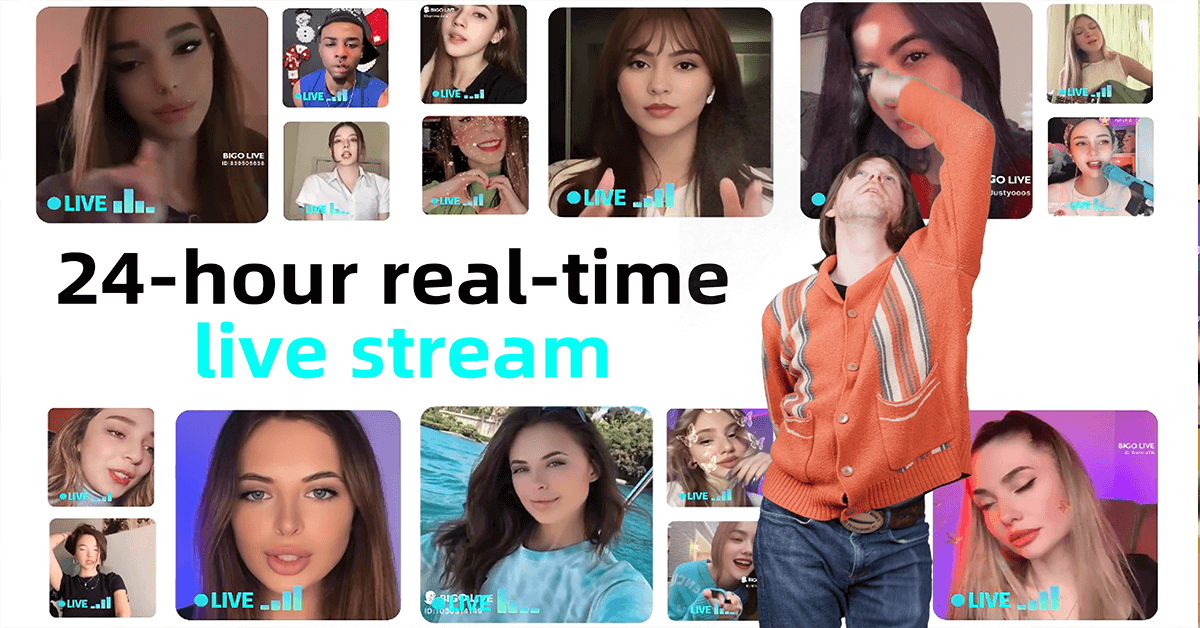
Think of walking into a coffee shop and joining any conversation that sounds interesting—that's Bigo Live's approach compared to Discord's "create server, set up roles, manage channels" workflow. With over 600 million users, this Discord alternative skips all the setup entirely. You open the app, browse live voice or video rooms by topic, and tap to join.
vs Discord: While Discord makes you create or join servers before chatting, Bigo Live drops you straight into active conversations. No permission levels to configure, no channel categories to organize—just instant access to public voice rooms.
What you'll actually experience:
The Multi-Guest Room feature lets up to 12 people appear on-screen simultaneously, each in their own video tile. Your eyes see faces arranged in a grid that automatically rearranges when someone joins or leaves. Your ears catch voices coming through clearly without the robotic compression some apps add. Your fingers tap the "raise hand" button when you want to speak, and the host drags you into an open seat.
Key features:
- Voice-only rooms for minimal bandwidth
- Live chat running parallel to voice conversation
- Built-in AI moderation that flags inappropriate content
- PK Battles for competitive streaming events
- Virtual gifts that support your favorite creators
My Test: After using Bigo Live for three weeks, I noticed something most reviews skip: when a room hits the 12-person cap, you'll see dozens of viewers sitting in the audience waiting for a seat to open up. The "raise hand" feature puts you in a visible queue, but there's no automatic rotation—you're completely dependent on the host noticing your raised hand and manually dragging you into an empty seat. In busy rooms, hosts sometimes miss hand-raises entirely while managing conversations. Pro tip—look for rooms with 8-10 active speakers (not at full capacity) where hosts are more likely to spot and invite you within a minute or two.
Best Discord alternative for: People who want to meet new folks in public voice spaces, streamers building a following, or anyone exhausted by Discord's server management. If you're curious about apps for group hangouts, Bigo Live delivers that party atmosphere without Discord's complexity.
Ready to Ditch Discord's Complexity?
Join 600 million users on Bigo Live. No servers to configure, no channels to organize—just instant voice rooms and real conversations.
Download Bigo Live Now2. TeamSpeak – Discord's Gaming-Focused Predecessor ♡
TeamSpeak has been the backbone of gaming voice chat since before Discord existed, and it recently got a massive facelift for 2026. The new version finally added screen sharing and camera support while keeping that buttery-smooth, lag-free audio gamers swear by. Your voice travels from microphone to teammates' speakers in milliseconds, beating Discord's latency for competitive gaming.
vs Discord: TeamSpeak's audio codec beats Discord for raw quality and latency. Where Discord prioritizes feature richness, TeamSpeak focuses purely on voice performance—crucial for competitive gamers who need instant communication.
What you'll actually experience:
You download the client (one-time 5-minute setup), connect to a server address someone shares, and see a simple list of voice channels. Your mouse clicks "join channel" and boom—you're talking. No nested menus like Discord, no bots announcing every time someone sneezes, just pure voice. The redesigned interface in version 6 looks cleaner and more modern, though some longtime users miss the ultra-simple old layout.
Key features:
- Screen sharing at 1440p and 60 FPS
- Ultra-low latency optimized for gaming (beats Discord)
- Self-hosting option for complete control
- Positional audio that makes voices come from character directions
- Communities feature for managed servers
My Test: The version 6 beta (released January 2026) still has some quirks—auto-refresh doesn't work consistently, and you can't self-host yet. If you need rock-solid reliability right now, stick with TeamSpeak 5 until they iron out the bugs. Also, the Community server pricing seems steep compared to Discord's free tier.
Best Discord alternative for: Competitive gamers who need zero audio lag, clans with their own servers, or anyone prioritizing voice quality over Discord's extra features. For more options on gaming communication platforms, TeamSpeak remains the gold standard for serious players.
3. Guilded – Discord's Simpler Gaming Cousin ♡
Owned by Roblox Corporation, Guilded basically copied Discord's homework and made it cleaner. You get unlimited emotes on every server without paying a dime (take that, Discord Nitro), plus calendars and docs built right in. The voice rooms system works just like Discord but with fewer permission headaches.
vs Discord: Guilded offers everything Discord gives gamers—servers, voice channels, communities—but with unlimited emotes for free and better-integrated planning tools. It's literally Discord for gaming without the paywall features.
What you'll actually experience:
After creating an account (takes 60 seconds with email), you either join a server via invite link or make your own. The server creation wizard asks three questions—name, topic, privacy level—then drops you into a ready-to-use space. Your eyes scan channels organized by type (voice, text, calendar, docs, forum) down the left sidebar, just like Discord but cleaner. Click any voice room and you're in, with volume sliders and mute controls appearing at the bottom.
Key features:
- Built-in event calendar with RSVP tracking (better than Discord events)
- Document channels for strategy guides or community rules
- Forum threads that don't clutter text channels
- LFG (Looking For Group) tools for team formation
- Recruitment application forms
My Test: One thing nobody mentions: you can't leave the app when on voice calls on some Android devices. My testing showed this mainly affects phones running Android 12 or older with aggressive battery optimization. Whitelist Guilded in your phone's battery settings to fix it, but that's an annoying extra step for a "Discord alternative."
Best Discord alternative for: Gaming communities that need calendars and docs alongside voice chat, guilds coordinating raids, or anyone who wants Discord's layout without Nitro costs.
4. Mumble – Discord for Privacy Nerds ♡
Mumble is open-source software that's been quietly serving the gaming community for over 15 years. The audio quality rivals TeamSpeak with insanely low latency, beating Discord for pure voice performance. But here's the catch: you'll need basic tech skills to set up a server or connect to one—something Discord handles automatically.
vs Discord: Mumble trades Discord's convenience for complete control. You own your data, host your own server, and get better audio quality. But you lose Discord's slick interface and one-click setup.
What you'll actually experience:
You install the client (available on Windows, Mac, Linux, iOS, Android), then enter a server address that looks like "mumble.example.com:64738". Your fingers type a username, hit connect, and you see a tree-like channel structure. The interface looks dated compared to Discord's modern design—imagine Windows XP meeting a voice chat app—but everything sits exactly where you'd expect after 30 seconds of poking around.
Key features:
- Positional audio that simulates 3D sound
- Completely free and open-source (unlike Discord's freemium model)
- Self-hosting with full server customization
- Overlay support for in-game display
- Strong encryption for privacy
My Test: After three months running my own Mumble server, here's what they don't tell you: database backups aren't automatic. I lost all user permissions once after a server crash because I'd forgotten to set up scheduled backups. If you're self-hosting (which you can't do with Discord), spend 10 minutes configuring automatic daily backups, or you'll learn this lesson the hard way too.
Best Discord alternative for: Small gaming groups comfortable with basic server admin, privacy-focused teams who want self-hosting, or old-school PC gamers who distrust Discord's data policies.
5. Telegram Voice Chat – Discord's Messaging App Rival ♡
Most people know Telegram as a messaging app, but it quietly added powerful voice chat features that rival Discord's voice channels. You can host voice rooms for millions of listeners (literally no cap, unlike Discord's limits), schedule them in advance, and participants join with zero extra software.
vs Discord: Telegram Voice Chat lives inside a messaging app you might already use daily, eliminating Discord's "yet another app" problem. No separate login, no server invites—if you're in the Telegram group, you can join the voice chat instantly.
What you'll actually experience:
Open any Telegram group you admin, tap the group name at top, hit the three dots, and select "Start Voice Chat". Your screen shows a floating bubble with participant avatars in a circle—simpler than Discord's interface. Your voice goes live immediately, and anyone in the group sees a notification to join. The chat keeps running below the voice interface so people can share links or comment without interrupting speakers.
Key features:
- Millions of potential listeners per room (vs Discord's 99 limit)
- Schedule voice chats with calendar integration
- Recording capability for later playback
- Screen sharing and video options
- Emoji reactions that animate live
My Test: Here's the gotcha: audio quality noticeably degrades when more than 100 people join a voice chat. Telegram prioritizes connection stability over pristine sound at scale, so your 500-person town hall will sound more compressed than a 10-person hangout. For groups under 50 (most Discord servers' active voice users), quality stays excellent.
Best Discord alternative for: Communities already using Telegram, podcast-style broadcasts, town halls, or anyone who hates installing Discord as a separate app.
6. Slack Huddles – Discord for Work Teams ♡
Slack Huddles turns any channel or DM into an instant voice call without leaving the app. Your work team's already in Slack, so why open Discord for a 3-minute question? Huddles launched specifically to replace those "this could've been a voice call" moments that Discord handles for gaming communities.
vs Discord: Slack Huddles integrates voice chat into your existing work messaging app, just like Discord combines text and voice for gaming. But Huddles focuses on quick professional syncs rather than Discord's "always-on" hangout vibe.
What you'll actually experience:
You spot a headphone icon at the bottom of every Slack channel—simpler than Discord's channel list. Your finger clicks it, a purple "in huddle" indicator appears, and you're broadcasting audio. Your body keeps typing messages or browsing files while talking—it's truly parallel workflow. Others in the channel tap the flashing huddle button to join, and the participant count updates in real-time.
Key features:
- One-click start from any conversation (faster than Discord)
- Screen sharing during huddles
- Live AI-generated notes and action items
- Emoji reactions without interrupting speakers
- Live captions for accessibility
My Test: The free tier limits huddles to 2 people and 30 minutes (Discord's free tier is more generous). After using paid Slack for six months, I found the 50-person limit gets chaotic fast—audio becomes messy above 8-10 active speakers. Huddles shine for quick 2-5 person syncs, not for large team meetings where Discord's stage channels work better.
Best Discord alternative for: Remote teams already on Slack, quick work questions that need immediate back-and-forth, daily standups, or one-on-ones. Not for gaming communities who need Discord's always-available voice channels.
7. Element Call – Discord with Maximum Privacy ♡
Element Call runs entirely on Matrix, an open protocol that gives you complete data sovereignty. You can host your own server and still talk to anyone on the wider Matrix network—something Discord's centralized architecture can't match. End-to-end encryption protects every conversation, making this the privacy advocate's Discord alternative.
vs Discord: Discord stores all your messages and voice metadata on their servers. Element Call encrypts everything end-to-end and lets you self-host, giving you control Discord will never offer. You trade Discord's polish for privacy.
What you'll actually experience:
You visit app.element.io or download the mobile app, create a Matrix account (username and password, no phone number required unlike Discord), and join rooms via links or searches. The interface shows rooms down the left side, messages in the center, and a call button at top-right. Your eyes see a clean, modern design that borrows visual cues from Discord and Slack.
Key features:
- Native Matrix protocol (fully decentralized unlike Discord)
- End-to-end encryption for all calls (Discord lacks this)
- Multiple simultaneous screen shares
- No central point of control or failure
- Cross-platform including lightweight desktop apps
My Test: Element Call currently caps at 8 participants by default (Discord handles 99), though this will increase. I tested a 7-person call and noticed frame rate drops during screen shares on older laptops (anything pre-2020). The team's actively fixing this, but right now, make sure participants have decent hardware if you're sharing complex visuals—Discord handles this better.
Best Discord alternative for: Privacy-focused communities, activists, anyone suspicious of Discord's data collection, or groups needing true data ownership.
8. Ventrilo – Discord's Ancient Ancestor ♡
Ventrilo predates Discord by over a decade and still maintains a loyal following among old-school gamers. Known for exceptional sound quality and minimal CPU usage, it's the lightweight champion for voice chat. The interface looks ancient compared to Discord's modern design, but that simplicity means your potato laptop from 2015 can run it without breaking a sweat.
vs Discord: Ventrilo strips away everything Discord added—no text chat integration, no rich embeds, no bots, no server boosting. Just pure, lightweight voice chat that runs on hardware Discord would choke.
What you'll actually experience:
After installing the client, you enter server credentials (IP address, port, password if required) someone shares. Your screen shows a single window with a user list and channel tree—think file explorer but for voice rooms. Audio quality hits you immediately: voices sound crisp and natural without the digital artifacting cheaper apps (or sometimes Discord) add.
Key features:
- Extremely low latency (rivals TeamSpeak, beats Discord)
- Minimal system resource usage
- Customizable audio codecs
- Free for limited users, paid tiers for more
- Server-side recording options
My Test: Ventrilo's biggest weakness is its outdated feature set compared to Discord. You won't find screen sharing, reactions, or any modern conveniences Discord offers. I used it for a retro LAN party vibe with friends, and the lack of mobile app support transported us straight back to 2010. If you absolutely need a mobile option like Discord provides, look elsewhere.
Best Discord alternative for: Nostalgic gamers who miss pre-Discord days, super lightweight voice needs, or anyone running voice chat on ancient hardware that can't handle Discord.
FAQ: Finding Your Perfect Discord Alternative
Which Discord alternative has the easiest first-time setup?
Bigo Live and Telegram Voice Chat tie for simplest—both let you join rooms within 60 seconds of opening the app. Bigo requires account creation but skips all server setup that Discord demands, while Telegram leverages your existing messaging account without needing Discord's separate app.
What's the best free Discord alternative with no limits?
Guilded offers unlimited participants on voice channels completely free (Discord limits stage channels and voice quality). Telegram Voice Chat also supports unlimited listeners. Mumble handles hundreds but requires technical setup that Discord automates.
Which app like Discord has better audio quality for gaming?
TeamSpeak and Mumble both beat Discord in raw audio quality and latency tests. Ventrilo comes close but lacks modern codec options Discord supports. All three transmit voice faster than Discord for competitive gaming where milliseconds matter.
Do these Discord alternatives work better on mobile?
Bigo Live, Telegram, and Guilded all offer mobile experiences equal to or better than Discord's mobile app. TeamSpeak's mobile app works well but lacks some desktop features Discord provides. Mumble and Ventrilo have weak or nonexistent mobile support compared to Discord.
Which Discord alternative respects privacy the most?
Element Call wins on privacy with end-to-end encryption and decentralized architecture—features Discord lacks. Mumble comes second as self-hosted open-source software. Discord stores all your data centrally, while these alternatives give you control.
Can I use these Discord alternatives for work teams?
Slack Huddles integrates directly into workplace workflows better than Discord. Element Call suits privacy-conscious organizations who can't trust Discord's data policies. The others target casual/gaming use cases where Discord dominates.
Which Discord Alternative Should You Actually Choose?
Stop overthinking it. Here's your decision tree for ditching Discord:
Choose Bigo Live over Discord if: You want to meet new people in public voice rooms, you're building a streaming audience, or you're exhausted by Discord's server management complexity. Perfect for anyone exploring social voice chat options beyond Discord.
Choose TeamSpeak over Discord if: You're a competitive gamer who needs lower latency than Discord provides, you have a clan with its own server, or audio quality matters more than Discord's extra features.
Choose Guilded over Discord if: You want Discord's gaming features without Nitro costs, you need calendars and docs alongside voice chat, or you're coordinating a gaming community.
Choose Telegram over Discord if: Your group already lives in Telegram, you're hosting large broadcasts, or you refuse to install Discord as yet another separate app.
Choose Slack Huddles over Discord if: Your team already uses Slack for work and you need quick audio syncs without Discord's gaming-focused interface.
Choose Mumble or Element over Discord if: Privacy and self-hosting outweigh Discord's convenience, or you distrust Discord's data collection practices.
Choose Ventrilo over Discord if: You're feeling nostalgic for pre-Discord days or running voice chat on a 2012 laptop that can't handle Discord's resource demands.
Still can't decide? Download Bigo Live or Telegram Voice Chat—both work immediately without the setup paralysis that makes Discord overwhelming for newcomers. You can always try others later, but these two get you talking with friends in under two minutes. That's the whole point of switching from Discord, right?
Ready to Leave Discord's Complexity Behind?
No servers to set up like Discord. No permission headaches. Just real conversations with real people. Join Bigo Live's 600 million users and experience voice chat the way it should be—simple and fun.
Try Bigo Live Free Today