


Dino is BIGO LIVE’s in-app virtual pet. Pick it up from the Dino tab on your profile, earn donuts by signing in and completing tasks, and feed it to level up. Higher levels unlock more suits and room backgrounds.
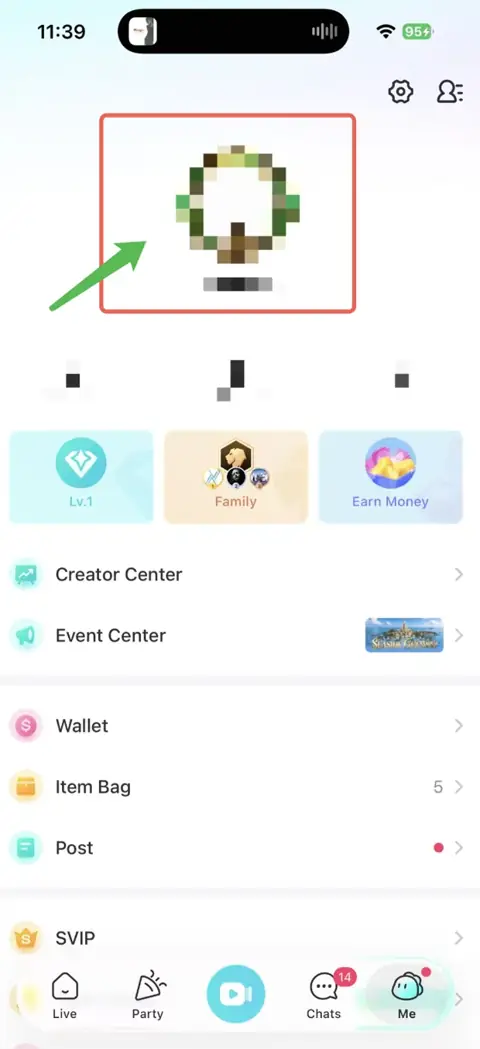
Start at Me → your profile picture → Dino. Here’s how to pick up your pet, care for it, and visit someone else’s Dino.
Show me how to get Dino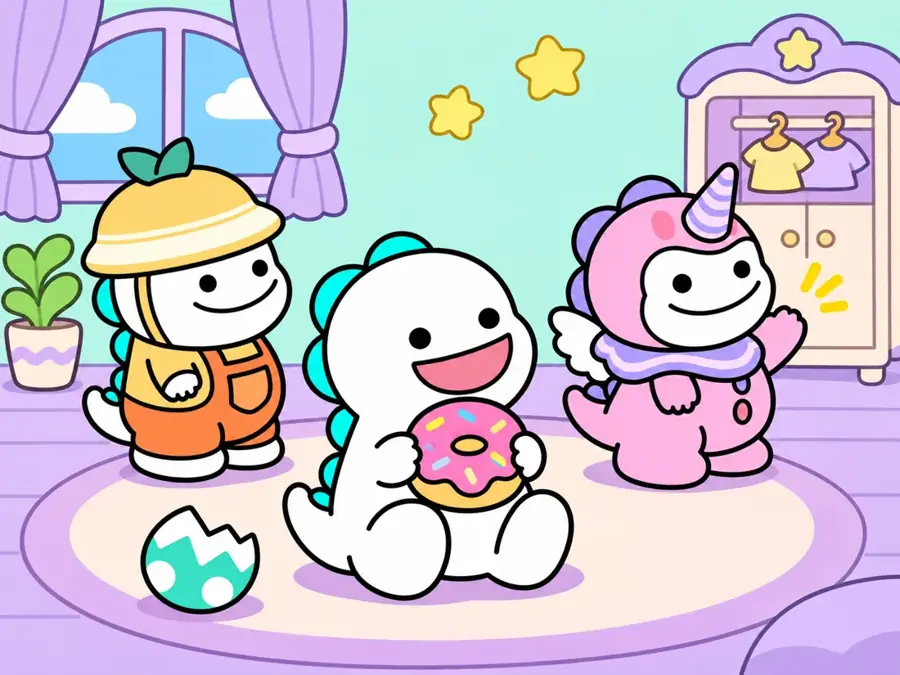
What is Dino?
Your Dino has its own room, food control, reward page, and outfit menu. Start with the pet itself, then use the sections below to feed it, change its look, or find its stickers in chat.
Pick it up
Open the Dino tab on your profile and tap the pet pickup button.
Take care of it
Sign in and complete tasks to earn donuts, then feed them to Dino.
Make it yours
Explore the Suit and Background tabs to change its look and room.
DINO’s Identity Card
BIGO LIVE / CHARACTER PROFILE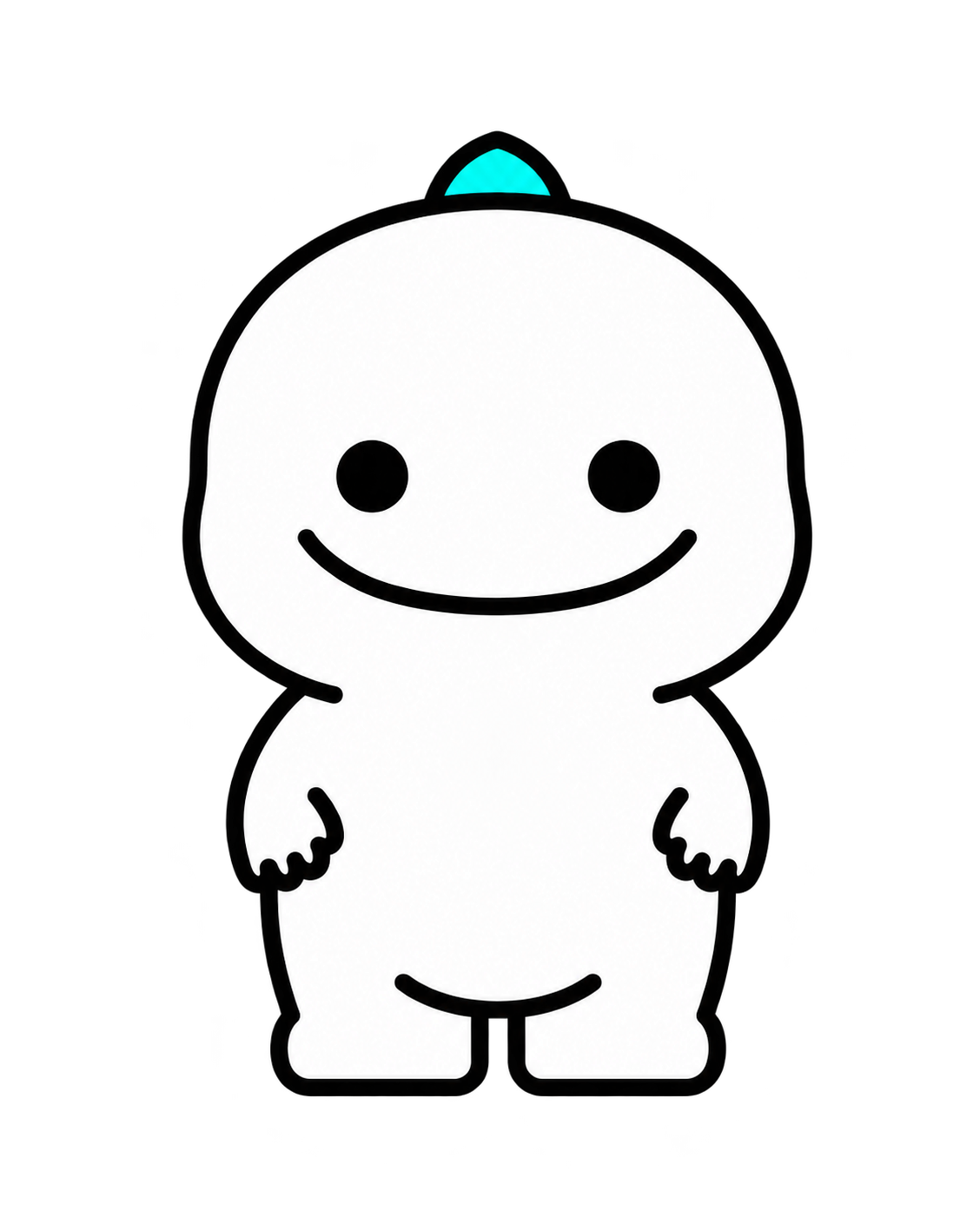
Your little BIGO LIVE companion
How to get Dino on BIGO LIVE
Go to Me → your profile picture → Dino → Pick up your little pet.
Open your profile
Tap Me in the bottom navigation, then tap your profile picture. New to the app? The BIGO LIVE setup guide covers your profile and the main navigation.
Choose the Dino tab
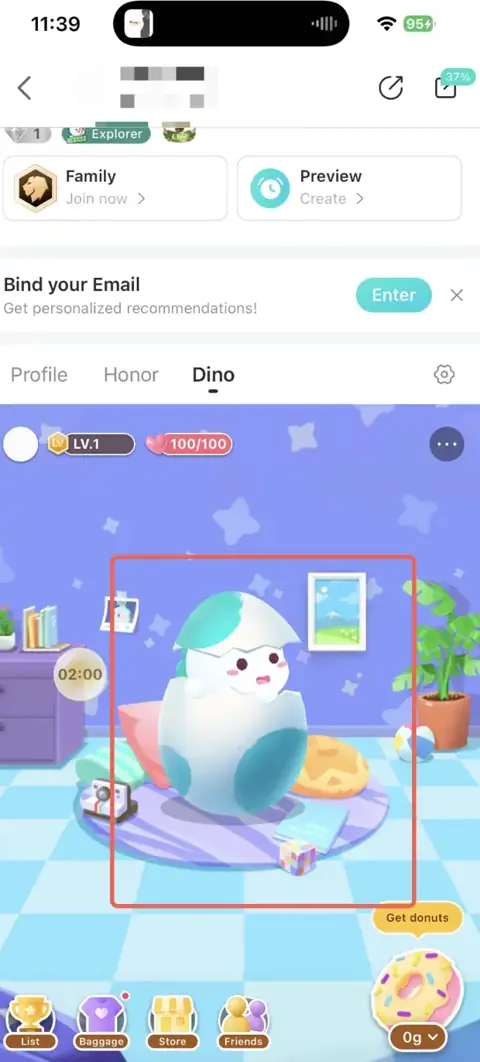
Choose Dino next to Profile and Honor. You’ll see an egg with the button Pick up your little pet.
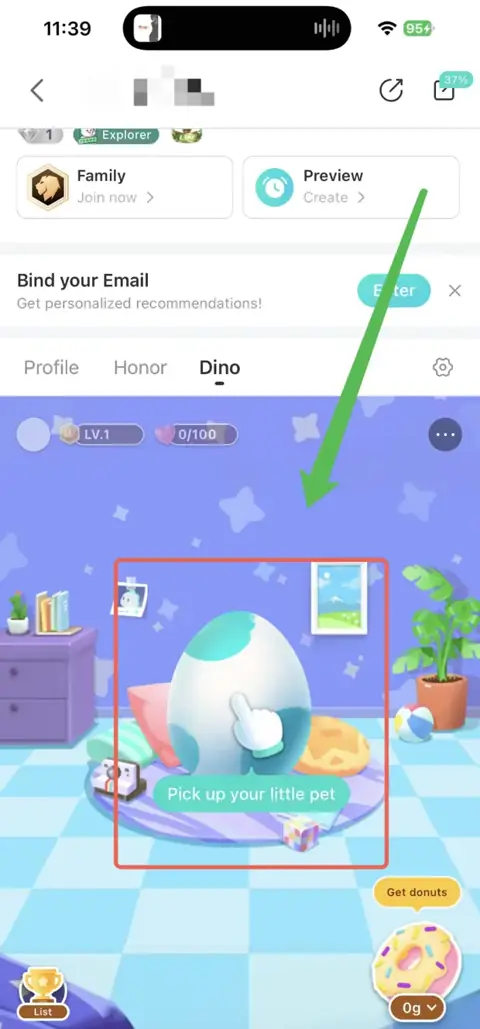
Pick up your little pet
Tap Pick up your little pet and follow the introduction. As the egg opens, Dino appears in the room. The walkthrough then takes you to feeding and task rewards.
How to get donuts for Dino
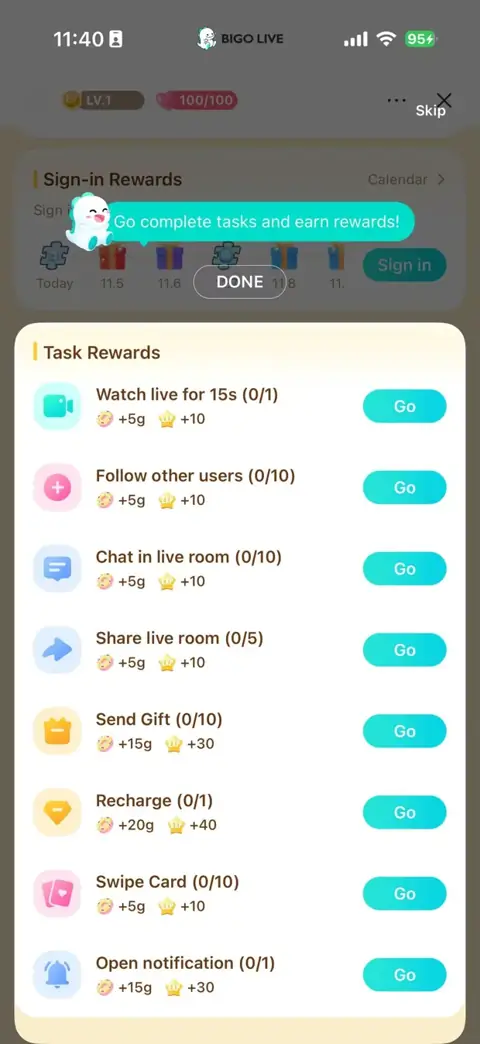
Tap Get donuts beside the donut icon to reach Sign-in Rewards and Task Rewards. Earn donuts by signing in and finishing the listed activities.
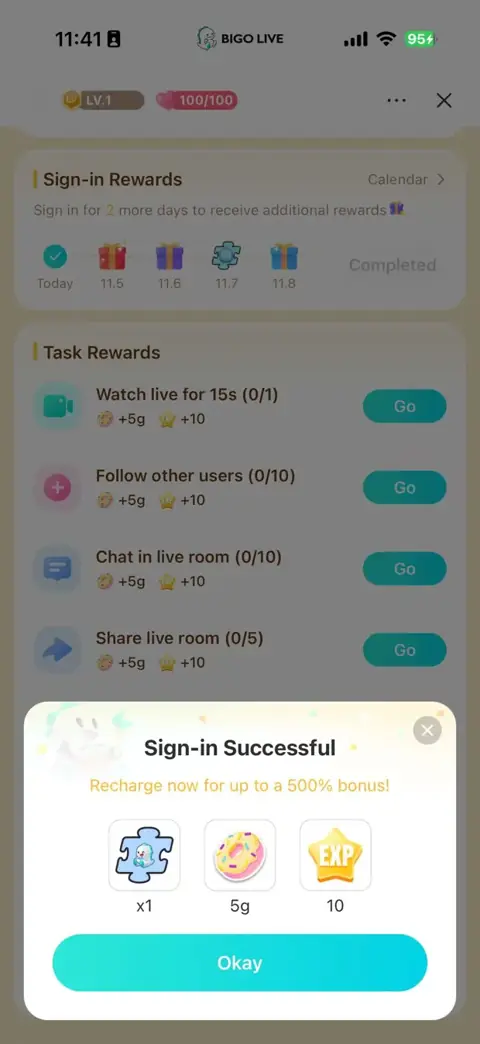
Sign in and collect the listed rewards
Tap Sign in to collect the day’s rewards. The calendar tracks completed sign-ins and shows upcoming rewards.
Follow the task list
Choose a task and tap Go to begin. Finish its requirement, such as the listed watch time, to earn the reward. The counter tracks your progress.
How to feed Dino
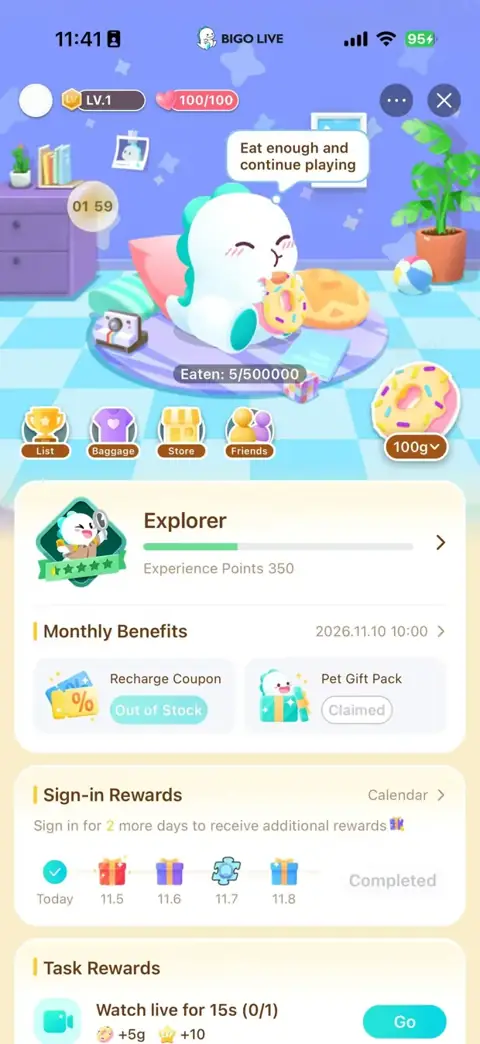
Back in the pet room, tap the donut control in the lower-right corner to feed Dino. You’ll see your pet eat and a feeding progress indicator appear.
Use the arrow beside the donut amount to choose how much to feed Dino.
Feed Dino to level up
The more donuts Dino eats, the higher its level grows. Higher levels unlock more suits and room backgrounds. Keep feeding your pet, then check the level badges in the customization menu to see what you can equip next.
How to feed another person’s Dino
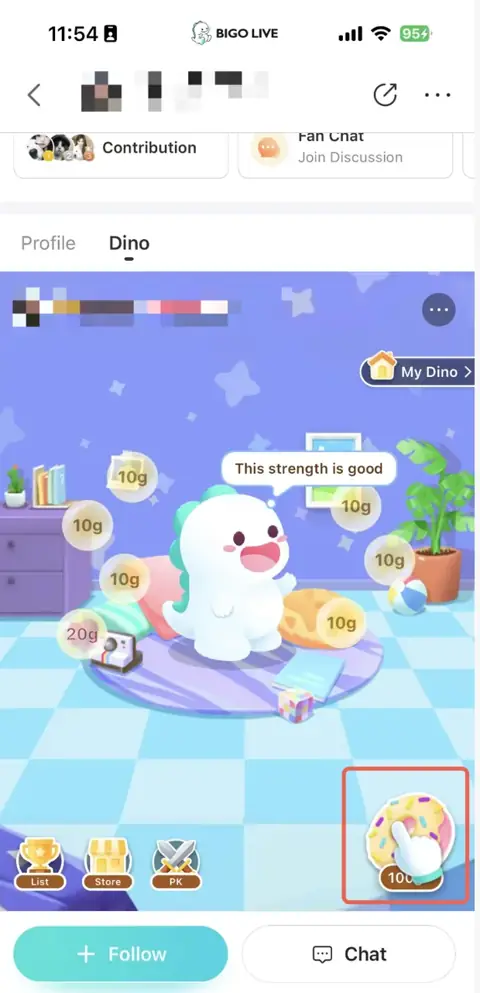
Visit the other person’s profile and open their Dino tab. Tap the donut button in the lower-right corner to feed their pet.
It’s a small way to interact after a conversation or a stream. The pet page also has a My Dino shortcut that takes you back to your own pet.
Change Dino’s outfit and room
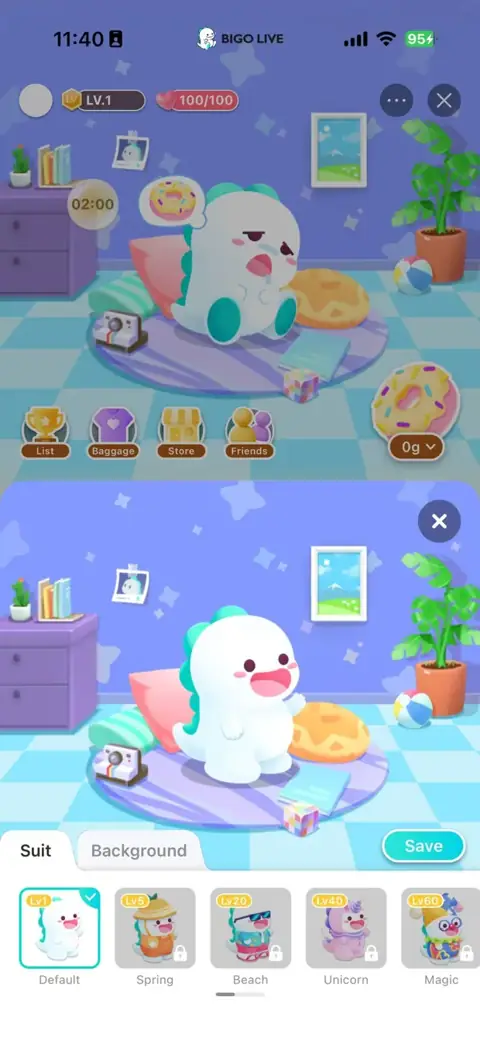
In the customization panel, choose Suit for outfits or Background for the room, then tap Save to apply an available option.
Dino can wave hello, look hungry or sleepy, eat, cheer, and peek out while partly hidden. Its animations also change with the suit it wears.
Explore suits and level requirements
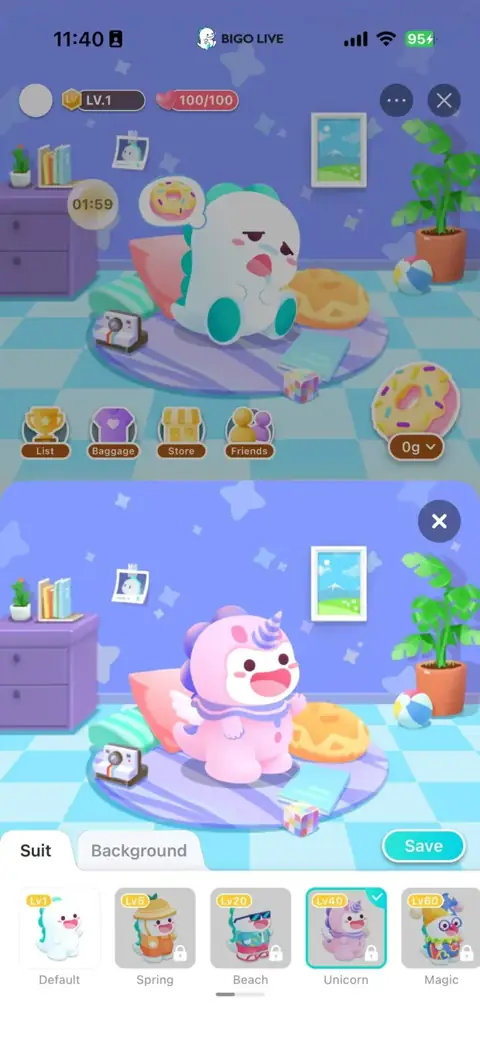
The Suit tab includes Default, Spring, Beach, Unicorn, and Magic. Feed Dino to raise its level and unlock more suits and backgrounds. The badges and padlocks on the thumbnails show each look’s level requirement.
Select an outfit to see it on Dino. To equip it, choose an unlocked option and tap Save.
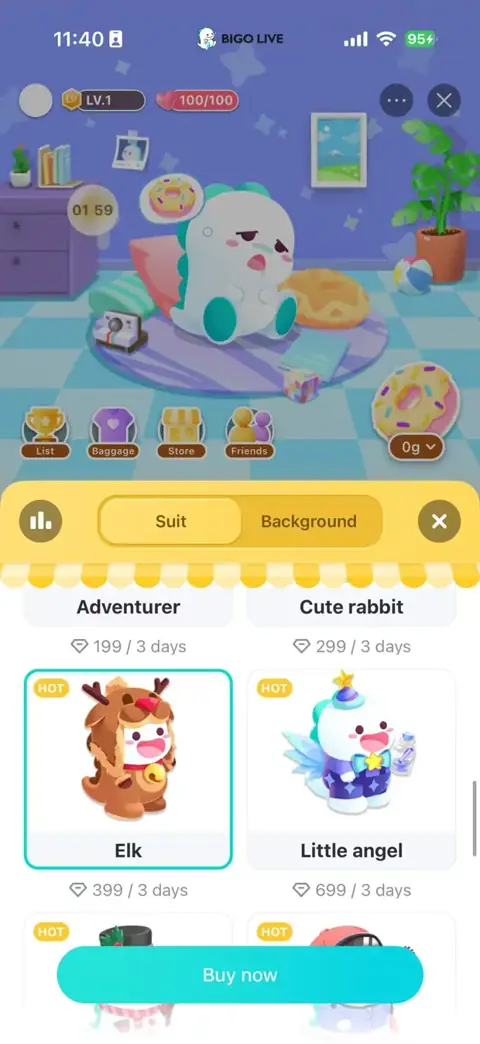
Store outfits have a cost and a duration
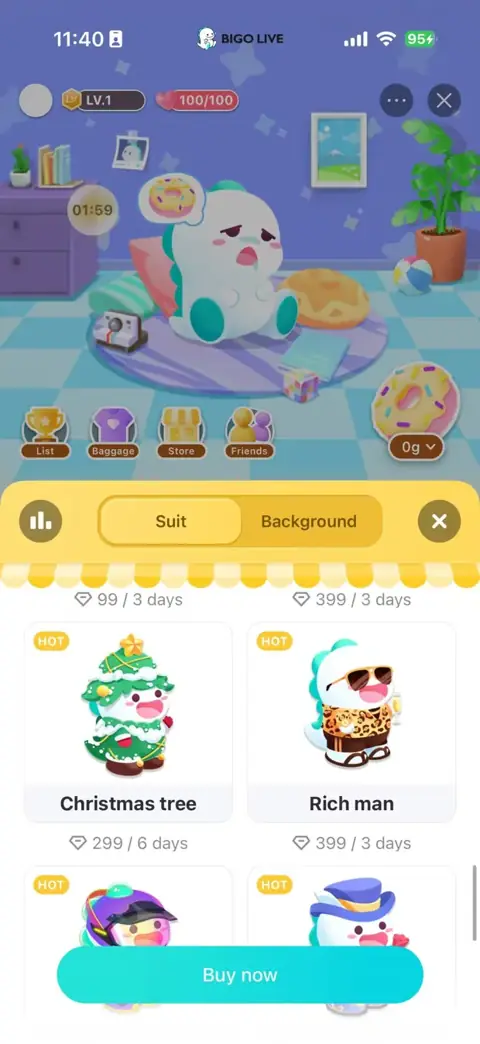
Store listings show a Diamond cost and a duration in days. A suit listed for three days is temporary. Learn how the app’s currency works in the BIGO LIVE Diamonds and recharge guide.
Dress Dino for the holiday or the mood

Christmas is coming, and Dino has festive outfits, too. Pick the Christmas tree suit for a holiday hangout, or go with Elk for a cozy winter look. Hosting a playful chat? Try Little angel and give your pet a different personality for the occasion.
Choose a suit that fits your plans, then pair it with a background to set the mood for Dino’s room.
Use Dino stickers in chat
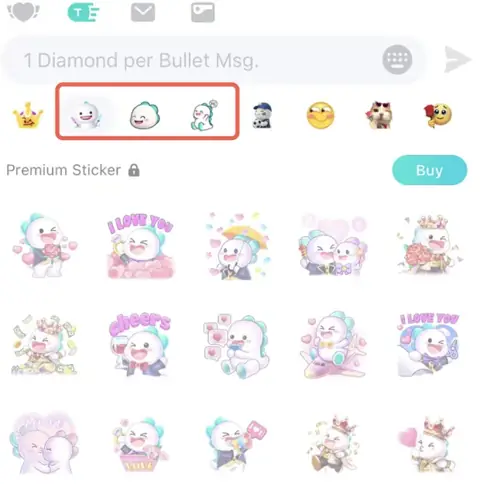
Dino isn’t just a pet you feed. You can use Dino stickers while chatting, too. This little character has a whole range of moods: a big grin, a shy blush, a surprised face, or a little extra affection.
Open the sticker panel in chat, choose a Dino category, and tap an available sticker to send it. Pick a grin, a blush, or a surprised face to match your message.
Collections marked Premium Sticker have a separate Buy button.
Dino beyond the app
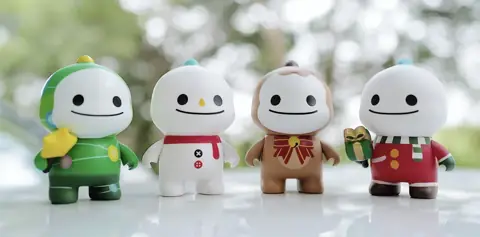
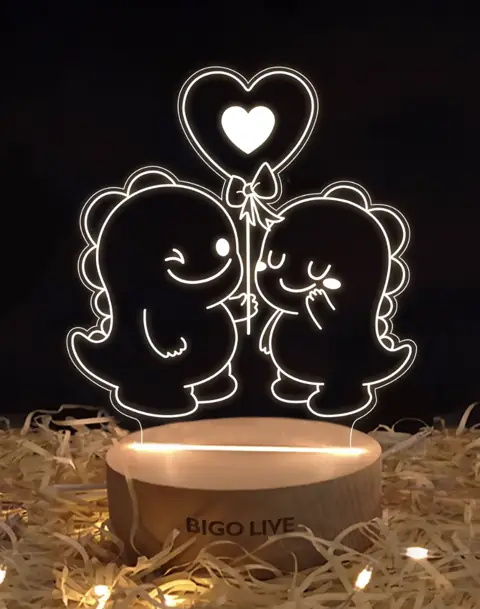
The same little character also appears on physical collectibles. These Dino figures, a glowing lamp, and illustrated puzzles bring its expressions and costumes into a desk, shelf, or cozy corner at home.
Dino blind-box collectibles
Christmas tree, snowman, reindeer, and scarf-wearing Dino designs bring holiday character to this blind-box collection.
A warm glow for your desk
Two Dinos share a heart balloon in this illuminated design, set on a wooden BIGO LIVE base.
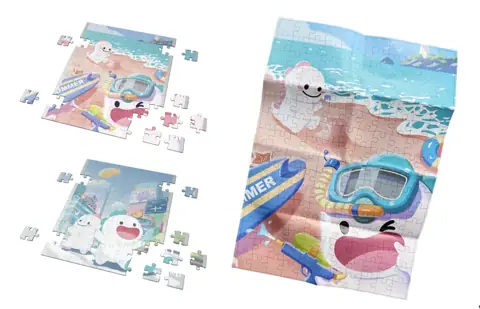
A screen-free Dino break
Beach adventures and city moments turn into jigsaw puzzles, with the characters worked into each illustration.
Questions about your Dino
Why can’t I find the Dino tab?
Open your profile by tapping your profile picture under Me. The Dino tab is on that profile page, not the main Me screen. For account-specific help, use Help & Feedback in the app.
Why didn’t tapping Get donuts give me any donuts?
Get donuts opens the reward page. Use Sign in or complete a listed task to earn its donut reward.
Why is a suit still locked?
The thumbnail shows its level requirement. Feed Dino donuts to raise its level and unlock more suits and backgrounds.
Are Store outfits permanent?
The duration is listed beside the Diamond cost. A three-day outfit is available for that stated period, rather than permanently.
Why does a Dino sticker collection show Buy?
It is a Premium Sticker collection with a separate purchase option. Use an available sticker or select that collection to see its listed purchase details.
Does getting the virtual pet give me physical Dino merchandise?
No. The Dino pet is an in-app feature. The blind-box figures, lamp, and puzzles pictured here are separate physical items.
