


BIGO LIVE is a global live streaming social platform where people broadcast talents, share life moments, watch others, and chat in real time. With singers, dancers, gamers, talk show hosts, and everyday users, it works as both a stage and a social hangout—connecting over 600 million users worldwide.
Whether you want to perform music, host talk sessions, play games, teach skills, or simply hang out with viewers from different countries, this tutorial covers everything from download to advanced features like PK battles and monetization.
What is BIGO LIVE?
People use it to perform music, host talk sessions, play games, teach skills, or simply hang out with viewers from different countries. It runs around the clock with live rooms in multiple languages, so there is always something to watch.
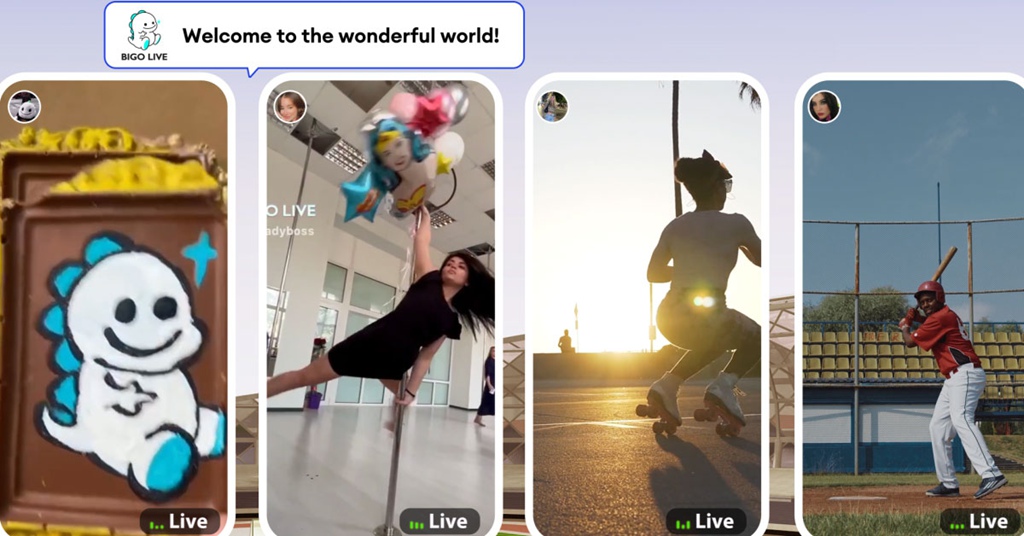
Compared with many other live streaming platforms, BIGO LIVE focuses heavily on interaction: fast chat, real-time gifts, on-screen effects, and tools like PK Battles or Multi-Guest rooms that bring more people on camera together.
🎤 Talent shows
Sing, play instruments, DJ, dance, or host mini concerts from your phone.
🎮 Game streaming
Share mobile or PC gameplay, especially when paired with game streaming features.
💬 Social hangouts
Host chill chat rooms, talk shows, or late-night conversations with your followers.
💰 Earning options
Turn support from viewers into income with gifts, agencies, and events.
Download and Install the App
The app is available on both iOS and Android and also offers a PC option for users who like bigger screens and more control.
📱 Get BIGO LIVE Free
Download now from the official store and join 600 million users streaming, watching, and connecting worldwide.
Download for iOS & Android✓ Free to install ✓ No hidden fees ✓ Available globally
Installation Steps
- Open your app store: Use Google Play Store on Android or Apple App Store on iPhone/iPad.
- Search for "BIGO LIVE": Type the full name so you spot the official app quickly.
- Check the publisher: Confirm it is released by BIGO TECHNOLOGY PTE. LTD.
- Tap install: Download, wait for it to install, and open the app when done.
For users who love bigger screens and keyboard shortcuts, BIGO LIVE can be used on desktop as well. You can explore official guidance on how to use BIGO LIVE on PC for streaming and viewing.
Create Your Account
A clean username, friendly profile photo, and short bio help other users figure out what type of streamer or viewer you are.
Sign-up Options
- Phone number: Enter your number and confirm a text message code.
- Social login: Use Facebook, Google, or similar to speed things up.
- Email address: In regions where it is supported, email sign‑up is available.
Profile Basics
- Pick your BIGO ID: This is the name people will search for, tag, and remember. You can change it later but there are limits, so it is worth doing right. If you want tweaks later, see how to change BIGO ID.
- Upload a profile picture: A clear, bright, friendly picture gets higher click rates. Avoid dark or blurry images.
- Fill in core info: Add gender and date of birth so the app can match the right content to your age.
- Write a short bio: One or two lines about your streams or interests gives visitors a quick idea of what to expect.
Main Interface and Tabs
Once you recognise these five areas, the rest of the app becomes much easier to use, even on your first day.
Key Areas
- Home: A feed of live rooms, including Popular, Nearby, and Following tabs.
- Explore/Discover: Featured events, trending topics, themed rooms, and recommended content.
- Go Live (center button): Big camera icon used to start your own stream.
- Messages: Direct messages, system notifications, and support messages.
- Profile ("Me"): Your page with stats, wallet, account settings, badges, and more.
On the home screen, you will see small thumbnails for each live room. These show the host's photo, username, viewer count, and sometimes a snapshot of what is happening inside so you can decide whether to tap in.
Watch Streams as a Viewer
Viewing is free and you can stay totally casual or become a power supporter through gifts and frequent visits.
How to Find Streams You Like
- Popular tab: Shows trending streams that are getting lots of views and interaction.
- Nearby tab: Shows hosts from your country or surrounding area, if location access is on.
- Search: Use usernames, BIGO IDs, or keywords such as "singing" or "gaming".
- Categories and tags: Filter by Music, Talk, Game, and more when available.
- Following feed: Once you follow people, this tab highlights who is currently live.
Interaction Tools
💬 Live chat
Type short messages to greet the host, ask questions, or join topics they bring up.
❤️ Taps and hearts
Tap the screen repeatedly to send hearts that show support and help push engagement.
🎁 Virtual gifts
Buy and send virtual gifts that appear with animations and help your favourite hosts earn.
📤 Sharing
Share rooms with friends on social apps when you discover a host you think others will enjoy.
Following Your Favourite Hosts
When you meet a host whose vibe you like, tap the Follow button in their room or on their profile page. That way:
- You receive a notification when they start a new live.
- Their streams appear in your Following list for quick access.
- You support them, which can help with their ranking in some events.
- You become part of a stable viewer circle that they start to recognise.
How Gifts Work for Viewers
Virtual gifts are bought with Diamonds, which you purchase with real money inside BIGO LIVE. After topping up, you can:
- Tap the gift icon in a live room.
- Browse simple gifts (like roses) and big ones (like cars or castles).
- Choose how many gifts you want to send.
- Watch the animations pop up on screen and see your name highlighted.
- Boost the host's ranking and income with your support.
Go Live: How to Start Your Own Stream
Even if your first stream is small, solid basics help you build confidence so your audience grows over time.
Prepare Before You Hit "Go Live"
Technical checklist
- Internet: A stable Wi‑Fi connection with at least 5 Mbps upload is recommended, and 10 Mbps or more is even better.
- Battery: Use a charger or power bank so your phone does not die mid‑stream.
- Camera: Clean the lens, use a tripod or phone stand if possible.
- Audio: Check your mic level, close windows, and avoid loud background noise. Earphones with a mic often sound clearer than the built‑in mic.
- Lighting: Face a light source and avoid strong light behind you. A ring light can improve image quality a lot.
Room and setup
- Choose a quiet space where you will not be interrupted too often.
- Keep the background tidy so viewers focus on you, not the mess.
- Lay out props or tools you will use (guitar, makeup, drawing board, controller, etc.).
- Test your framing so your face is centered and not cut off.
First Stream Starter Checklist
Content Ideas That Work Well
- Music and singing: Take song requests and check tips in this guide to choosing songs.
- Gaming: Stream mobile titles or PC games and chat with viewers who watch you play.
- Talk sessions: Daily life chats, advice, storytelling, or themed talk shows.
- Education and tutorials: Language lessons, makeup tips, cooking demos, drawing, or skill coaching.
- Lifestyle and casual streams: Chit‑chat sessions, daily routines, study rooms, and chill music streams.
How to Start a Live Session
- Tap the big camera icon in the middle of the bottom bar.
- Select a mode: standard live, audio live, game live, multi‑guest, or virtual live.
- Enter a strong title that clearly says what you are doing (for example: "Live Acoustic Covers & Song Requests 🎵").
- Pick or capture a cover photo that stands out in the feed.
- Add tags or choose a category so people interested in your type of content can find you faster.
- Adjust filters or effects if you want a softer or more stylised look, but do not overdo it.
- Tap "Start Live" and wait for the short countdown before you go on air.
What to Do During Your Live
- Welcome people by name as they enter and greet the room often.
- Read chat and respond regularly so viewers feel you are paying attention.
- Thank anyone who follows you or sends a gift, mentioning their name out loud.
- Ask simple questions like "Where are you watching from?" or "What should we do next?"
- Use moderation tools to mute or block trolls instead of arguing with them.
How to End a Live Smoothly
- Tell viewers you will end in a few minutes instead of cutting off suddenly.
- Thank everyone for watching, chatting, and sending gifts.
- Share your next live time or weekly schedule before ending.
- Remind new people to follow you so they catch future streams.
- After ending, look at the summary stats and take notes on what worked best.
Special BIGO LIVE Features You Should Know
Once you are comfortable with normal streams, these tools can give your room more variety and help you grow faster.
PK Battles (Player Knockout)
Fans send gifts to boost their chosen host, and the side with the higher score when the time runs out wins.
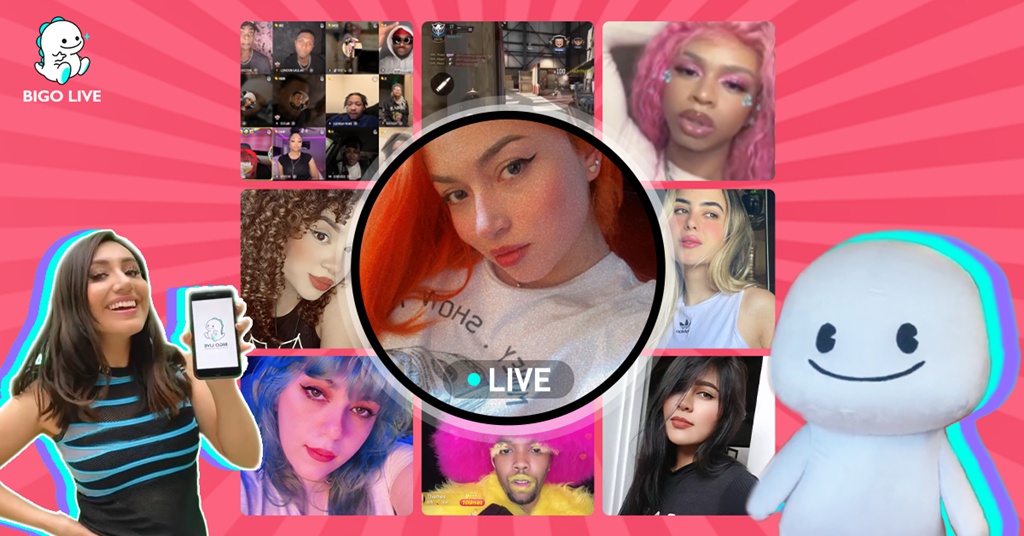
How PK works
- One host invites another host to a PK, or accepts a random PK request.
- Both rooms are linked in split screen for a fixed duration, often 5–15 minutes.
- Viewers on each side send gifts to push their favourite streamer ahead.
- A progress bar shows which side is leading in real time.
- When the timer ends, the side with more points wins.
- Often there is a fun "punishment" or task for the losing side, such as singing a silly song or doing push‑ups.
Why PK helps you grow
- You appear in front of another host's viewers, so new people can discover you.
- Your regulars feel more involved as "team members" trying to win the match.
- The battle format keeps chat moving fast and encourages more interaction.
- It gives you content even when you are not sure what to do solo.
Multi‑Guest Rooms
Hosts can invite friends, other streamers, or viewers to join, and you control who stays on the screen.
With Multi‑Guest you can host grids of 4, 6, 9, or even more video boxes on screen. Some popular ways to use this feature include:
- Panel chats: Talk panels on topics like music, relationships, or trending news.
- Group performances: Duets, dance teams, mini talent shows with multiple performers.
- Fan call‑ins: Fans request a box, join briefly, talk to you, then rotate out.
- Games and challenges: Guessing games, truth or dare, trivia, and mini competitions.
- Streamer networking: bring several hosts from the same family or agency on together.
Host controls in Multi‑Guest
- Accept or reject join requests from viewers.
- Send direct invites to specific users or co‑hosts.
- Mute guests who talk over others or cause noise.
- Remove guests from the grid if behaviour is not ok.
- Adjust layout to highlight the current speaker or performer.
How Diamonds, Gifts, and Beans Connect
This loop keeps tipping simple for viewers and gives hosts a clear way to track their earnings.
Gift Flow on BIGO LIVE
Viewers top up Diamonds with real money.
They pick gifts from the gift store in live rooms.
Gifts are sent to streamers with cool on‑screen effects.
Streamers receive Beans from those gifts.
Beans are converted to real money within BIGO LIVE rules.
More Features Worth Trying
- Families: Join a BIGO LIVE family to team up with other hosts for events and support.
- Levels: Earn experience and level up fast by streaming, chatting, and receiving gifts.
- Moments: Post photos and clips to your feed like regular social media.
- Video calls: Use video calls to connect more privately with friends you trust.
Tips to Grow as a Streamer
This takes time, but a steady routine and better content each week will push your numbers up faster than random late‑night streams.
Why Consistency Matters
- Pick a few days and times per week and stick to them so viewers build a habit.
- Add your schedule into your bio and mention it at the end of each live.
- Streaming three times a week on a clear schedule beats messy, irregular times.
- Use your first month to test which days and hours get the best traffic.
Better Engagement, Stronger Community
- Remember regular viewers and greet them when they show up.
- Create shared jokes or mini rituals that only your room knows.
- Celebrate milestones like follower goals, anniversaries, or birthdays.
- Reply to messages when you can, even off‑stream, without burning out.
- Invite viewers to vote on songs, topics, or challenges to keep them active.
Promote Your Streams on Other Apps
- Post your schedule and highlight clips on platforms like Instagram, TikTok, YouTube, and X.
- Repurpose your VOD moments with the help of guides such as repurposing stream content.
- Use short, catchy captions and vertical clips, especially for TikTok and Reels.
- Direct your existing followers to your BIGO LIVE profile and share your BIGO ID clearly.
- See tips in the article on promoting your BIGO LIVE stream on social media.
Collaborations and Support Circles
- Use PK battles with streamers near your level for shared exposure.
- Host Multi‑Guest rooms with friends and other hosts in your category.
- Join a family to take part in family events and ranking pushes.
- Follow tips from the streamer collaboration guide to make win‑win events.
- Develop your own flavour with ideas from the streamer style guide.
Improving Content Quality Over Time
- Upgrade to a better mic or lighting once you see stable growth.
- Watch top streamers in your niche and take notes on pacing, structure, and interaction style.
- Use tools like the live stream topics generator or icebreaker question generator when you run out of ideas.
- Try new formats: mini shows, themed weeks, or co‑host series with returning guests.
- Track your progress weekly using follower or engagement calculators in the blog toolbox section.
Safety, Privacy, and Rules
BIGO LIVE offers tools and policies, but your own choices still matter most when it comes to safety.
Protect Your Personal Information
- Avoid sharing your full legal name, home address, phone number, or daily schedule in public chat.
- Be careful when turning on location features and review app permissions regularly.
- Use separate emails or usernames for streaming if you want a clear line between your private and public life.
- Do not send ID photos or other sensitive documents through private messages to strangers.
Use Blocking and Reporting
- Block users who harass, spam, or ignore your warnings in chat.
- Report rooms or accounts that clearly break rules, including hate speech or risky behaviour.
- Give short reasons when reporting so the review team can act faster.
- Let trusted moderators help you keep chat clean if your room gets busy.
Avoid Common Scams
- Be careful with users promising free Diamonds, Beans, or rankings via external links.
- Ignore messages from "staff" accounts asking for money, passwords, or codes.
- Do not click short links from unknown sources inside chat or private messages.
- Say no to offers to buy or sell accounts; this usually breaks platform rules and can lead to bans.
If you want more background on safety standards and protection tools, the post "Is BIGO LIVE Safe?" covers how the app handles risks and what you can do on your side.
Community Guidelines at a Glance
- No nudity, sexual content, or anything involving minors in a risky way.
- No hate speech, racism, harassment, or direct personal attacks.
- No promotion of self‑harm, extreme violence, or illegal acts.
- No streaming of pirated movies, music, or content that breaks copyright laws.
- Respect regional rules and age limits, and follow all local regulations.
To check your knowledge of the rules, you can take the official Community Guidelines quiz made by the BIGO LIVE team.
Earning on BIGO LIVE
While the top hosts can earn a lot, steady growth usually comes after months of consistent streaming and building trust with a core audience.
Virtual Gifts and Beans
Virtual gifts sent during your live are the main source of income. The basic flow looks like this:
- Viewers top up Diamonds inside the app.
- They send gifts during your live shows.
- You receive Beans for each gift, based on its value.
- Beans add up in your wallet and can be withdrawn according to platform rules.
- You can track which events or content types bring in more support.
Joining an Agency
Many creators work with official BIGO LIVE agencies. These agencies are third‑party groups that recruit and manage hosts while working within platform rules.
- Monthly targets: Agencies usually ask for a set number of hours or Bean income each month.
- Base pay and bonuses: Some agencies pay a base amount plus extra for hitting targets.
- Guidance: Managers share feedback on your streams, help plan events, and give advice on growth.
- Community: Agency groups can match you with other hosts for collaboration and cross‑promotion.
Events, Rankings, and Bonuses
- Seasonal events often give extra rewards for top ranking hosts in certain regions or categories.
- New host events reward fresh accounts that hit specific goals early on.
- Daily or weekly ranking boards sometimes come with extra Beans or visibility.
- Special festival streams (New Year, big sports events, concerts, etc.) often see higher traffic and spending.
What to Expect From Earnings
Income depends heavily on your commitment and content type. Very rough ranges can look like this:
- New streamers may see only small amounts or just gifts from friends in the early weeks.
- Hosts streaming a few times a week with a small core audience might see hundreds of dollars over a month.
- Full‑time, consistent hosts with strong support circles can reach four‑figure monthly income.
- Top names, especially those active in agencies and big events, can go far beyond that.
Ready to Try BIGO LIVE Yourself?
You now have the key steps: download, set up, watch streams, then start hosting your own shows when you feel ready.
Download BIGO LIVE for FreeAvailable on iOS and Android • Free to install • Join 600 million users worldwide
Quick BIGO LIVE Quiz
Check How Ready You Are
Answer a few questions to see how much you picked up from this guide.
1. What is the most important technical factor for smooth streams?
2. What best describes a PK Battle?
3. What do hosts receive when viewers send gifts?
4. Which method is best for long‑term audience growth?
5. What is one safe response to someone sending you a suspicious link?

