


Meeting new people is part of what makes BIGO LIVE exciting. A viewer, streamer, or new friend may sometimes ask to continue a conversation on WhatsApp, Telegram, Signal, Zangi, or another messaging app.
Moving a conversation off BIGO LIVE does not automatically mean someone is a scammer. However, the situation becomes dangerous when the person also demands secrecy, creates urgency, asks for money, requests account credentials, or tries to access your device.
If someone moves you away from BIGO LIVE and then asks for money, gift cards, verification codes, private information, or control of your device, stop and verify the request independently.
Why Scammers Move You Off-App
Fraudsters avoid operating inside BIGO LIVE because our in-app monitoring, verified payment gateways, and reporting tools make scams much harder to pull off. Instead, they push victims toward WhatsApp, Telegram, third-party websites, or unofficial "reseller" links where there’s no oversight and no recourse. Any request to leave the app to "complete" a purchase, verify an account, or receive a gift should immediately raise suspicion.
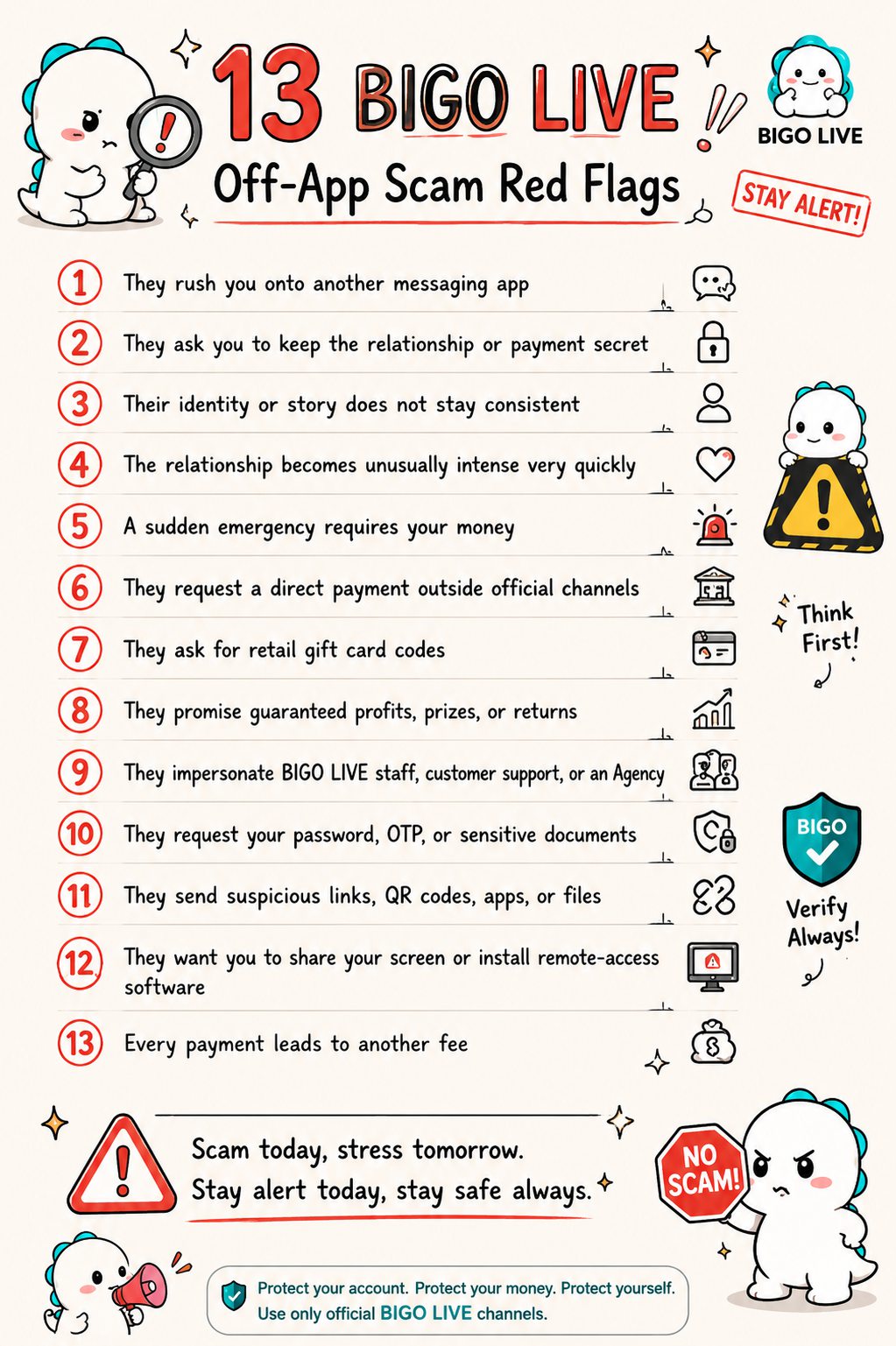
13 BIGO LIVE Off-App Scam Red Flags
- 1Rush to another app
- 2Demand secrecy
- 3Inconsistent story
- 4Instant intensity
- 5Sudden emergency
- 6Off-channel payment
- 7Gift card codes
- 8Guaranteed returns
- 9Staff impersonation
- 10Password or OTP
- 11Suspicious links
- 12Remote access
- 13Another fee
1. They rush you onto another messaging app
Be cautious if someone quickly asks for your phone number or tells you to move to WhatsApp, Telegram, Signal, Zangi, text messaging, or private email.
A normal user may have a reasonable preference for another app. A scammer, however, often pushes for the move before trust has been established.
The risk becomes more serious when the request is combined with statements such as:
“I cannot talk about this on BIGO LIVE.”
“Message me privately right now.”
“Do not contact me through my BIGO account.”
“Delete our previous messages.”
2. They ask you to keep the relationship or payment secret
Secrecy is one of the clearest scam warning signs.
The person may tell you not to discuss the situation with your family, friends, bank, BIGO LIVE Support, or other streamers. They may claim that other people “would not understand” or that revealing the arrangement could cause their account to be suspended.
A legitimate transaction or support request should not depend on keeping you isolated.
3. Their identity or story does not stay consistent
Look for details that change over time.
Their name, location, age, occupation, family situation, photos, or reason for needing money may not match what they previously told you. Their external messaging profile may also use a different name or photograph from their BIGO LIVE account.
One inconsistency does not prove fraud, but repeated contradictions deserve attention.
4. The relationship becomes unusually intense very quickly
Some scammers build emotional trust before asking for money. They may call you their best friend, romantic partner, soulmate, or future spouse after only a short period.
They may message constantly, share dramatic personal stories, or make plans to meet you. Once an emotional connection has formed, an “emergency” suddenly appears.
This pattern is common in romance and friendship scams. Genuine affection should never require you to send money, disclose a verification code, or ignore your own doubts.
5. A sudden emergency requires your money
The person may claim they urgently need help with medical treatment, rent or food, travel tickets, visa fees, a lost or stolen phone, legal expenses, family emergencies, streaming equipment, account recovery or verification, or mobile data and internet access.
Scammers use urgency to stop you from checking the story, so if you are told payment must happen immediately, slow down. A video call, voice message, photograph, or personal story does not prove the payment request is genuine — a real person can still lie about why they need money, and media can be stolen or manipulated.
6. They request a direct payment outside official channels
Be suspicious if someone asks you to send money directly to:
- A personal bank account
- A mobile wallet
- A payment app
- A cryptocurrency address
- A money-transfer service
- An account belonging to a “friend,” “manager,” or “relative”
BIGO LIVE virtual gifts and official recharge services should not require you to make an unrelated private payment to another person.
Scammers may claim that an external payment is cheaper, faster, or required to unlock special benefits. These claims should be independently verified through official BIGO LIVE channels.
7. They ask for retail gift card codes
A request for Apple, Google Play, Amazon, Steam, or another retail gift card is a major warning sign.
The scammer may ask you to:
- Buy a gift card.
- Scratch off the security covering.
- Photograph the card or receipt.
- Send the code through a private message.
Once the code has been shared, the value may be used or resold within minutes.
Do not confuse BIGO LIVE virtual gifts with retail gift cards. Virtual gifts are features used within BIGO LIVE. A stranger asking you to buy and send an Apple, Google Play, Amazon, or other retail gift card is not the same thing.
8. They promise guaranteed profits, prizes, or returns
Scammers may offer:
- Guaranteed cryptocurrency profits
- Exclusive investment opportunities
- Commission for helping transfer money
- A prize that requires an advance payment
- Discounted Diamonds from an unofficial source
- Guaranteed income as a streamer or agent
- A valuable package that requires a customs fee
- A large payment after you first pay a smaller fee
If you must pay money to receive a prize, release a transfer, access supposed profits, or unlock a reward, treat the request as suspicious.
No legitimate investment can guarantee risk-free returns.
9. They impersonate BIGO LIVE staff, customer support, or an Agency
A scammer may claim to be:
- A BIGO LIVE employee
- A customer-service representative
- An account-security specialist
- An official host manager
- An Agency recruiter
- A verification officer
- A payment or recharge agent
They may use BIGO-related logos, professional profile images, fake identification cards, or screenshots to appear credible.
Do not trust someone solely because their profile includes the BIGO LIVE name or logo. Verify support requests through the official BIGO LIVE Support Center or the support options inside the app.
Legitimate support will not need your password or one-time verification code.
10. They request your password, OTP, or sensitive documents
Never share:
- Your BIGO LIVE password
- SMS or email verification codes
- Login confirmation codes
- Payment passwords
- Bank or card details
- Recovery codes
- Copies of sensitive identity documents unless you are using a verified official process
A scammer may claim that the information is needed to verify your identity, restore your account, send a reward, process a partnership, or protect you from a security threat.
A one-time password can allow someone else to take over your account. If a code arrives unexpectedly, do not forward it to anyone.
11. They send suspicious links, QR codes, apps, or files
The person may send a link that looks similar to an official BIGO LIVE login, recharge, verification, or support page.
The page may then ask for your username, password, verification code, card information, or other personal data.
You should also be cautious of:
- Shortened links with unclear destinations
- Misspelled domain names
- Unofficial APK files
- QR codes that lead to payment or login pages
- Files that require you to disable security settings
- Apps sent directly through a chat
- Forms asking for excessive personal information
Open official services by typing the known website address yourself or accessing them directly through the BIGO LIVE app.
12. They want you to share your screen or install remote-access software
A fake support agent may ask you to install a remote-control app or share your screen so they can “fix” your account.
This can expose:
- Passwords
- Verification codes
- Private messages
- Banking information
- Cryptocurrency wallets
- Personal photographs and documents
Do not allow a stranger to control your phone or computer. BIGO LIVE Support should not need remote access to your entire device to review an account problem.
13. Every payment leads to another fee
After the first payment, a scammer may invent additional charges:
- Verification fees
- Tax
- Customs charges
- Withdrawal fees
- Security deposits
- Account-release fees
- Processing charges
- Refund fees
They may promise that the next payment will be the last one. It usually is not.
The same pattern can appear after you realize you have been scammed. A new person may claim they can recover your money for an upfront fee. This is known as a recovery scam.
Do not send more money in an attempt to release or recover the amount you already lost.
What to Do When You Spot an Off-App Scam
Stop communicating
Do not argue with the person or try to expose them. Stop responding, especially if they are pressuring or threatening you.
Do not send additional money or information.
Save the evidence
Before blocking the account, preserve relevant information such as:
- BIGO ID and username
- Profile screenshots
- BIGO LIVE messages
- External phone numbers and usernames
- Email addresses
- Payment instructions
- Wallet addresses
- Suspicious links or QR codes
- Gift card receipts and codes
- Bank or payment receipts
- Dates and times of the conversations
Do not repeatedly open suspicious links while collecting evidence.
Report and block the account
Use the reporting and blocking options available from the user’s profile, live room, or conversation.
Provide clear screenshots and explain that the person moved the conversation off BIGO LIVE before requesting money, credentials, gift cards, or device access.
You can also contact BIGO LIVE through Me > Help & Feedback > Feedback in the app or refer to the BIGO LIVE Support Center.
Protect your account
If you shared a password or entered your details on a suspicious page:
- Change your BIGO LIVE password immediately.
- Change the password of the connected email or social account.
- Use unique passwords for each service.
- Review your account for unfamiliar activity.
- Secure any other account using the same password.
If you can no longer access your BIGO LIVE account, use the official Account Appeal process. The BIGO LIVE hacked-account recovery guide explains the appropriate recovery steps.
Contact the payment provider
If you sent money, contact your bank, card issuer, payment app, gift card company, money-transfer service, or cryptocurrency platform immediately.
Explain that the transaction was connected to suspected fraud and ask whether it can be stopped, recalled, disputed, or flagged.
Speed matters. Recovery is not guaranteed, but contacting the provider quickly may improve your options.
Secure your device
If you installed an unknown app or gave someone remote access:
- Disconnect the device from the internet.
- Remove the remote-access or suspicious software.
- Run a trusted security scan.
- Check for unfamiliar apps or configuration changes.
- Change important passwords from a secure device.
- Contact your bank if financial information may have been exposed.
Report the scam locally
Depending on where you live, you may also report the incident to local police, a national fraud-reporting service, or a consumer-protection authority.
Users in the United States can report fraud to the Federal Trade Commission and the FBI’s Internet Crime Complaint Center. Users elsewhere should contact the equivalent authority in their country or region.
Frequently Asked Questions
Is moving from BIGO LIVE to WhatsApp always a scam?
No. Some legitimate users prefer to communicate through WhatsApp or another messaging app.
However, you should become cautious if the person also requests secrecy, money, gift cards, verification codes, sensitive information, suspicious downloads, or remote access.
The combination of behaviors matters more than the choice of messaging app.
Are Telegram, Signal, or Zangi safer?
These apps may offer different privacy and security features, but no messaging platform can guarantee that every person using it is trustworthy.
A scammer can operate through any communication service. Evaluate the person’s requests, not just the app they use.
Will BIGO LIVE Support ask for my password or verification code?
You should never give your BIGO LIVE password or one-time verification code to someone contacting you through a private message.
Use the support features inside the BIGO LIVE app or visit an official BIGO LIVE support page independently.
Does a video call prove that the person is genuine?
A video call may show that you are speaking to a real person, but it does not prove that their identity, personal story, or payment request is honest.
Scammers can appear on camera, use stolen identities, or present false emergencies.
Can BIGO LIVE reverse an off-platform payment?
Payments made through a bank, gift card, cryptocurrency platform, money-transfer service, or third-party payment app must generally be handled by the relevant provider.
Contact that provider immediately and report the BIGO LIVE account involved.
What should I do if I already shared a verification code?
Change your password immediately and secure the connected email, phone number, or social account. Review the account for unauthorized changes.
If you lose access, follow the official account recovery process instead of paying someone who claims they can recover it privately.
